Invoicing software for service businesses
Turn an accepted quote into an invoice in one click, record full and part payments, issue credit notes and see every unpaid invoice. Start a 14-day free trial.
Updated
The problem
The invoice is retyped from the quote, a line goes missing, and nobody is sure which customers still owe money until the bank statement is reconciled at the end of the month.
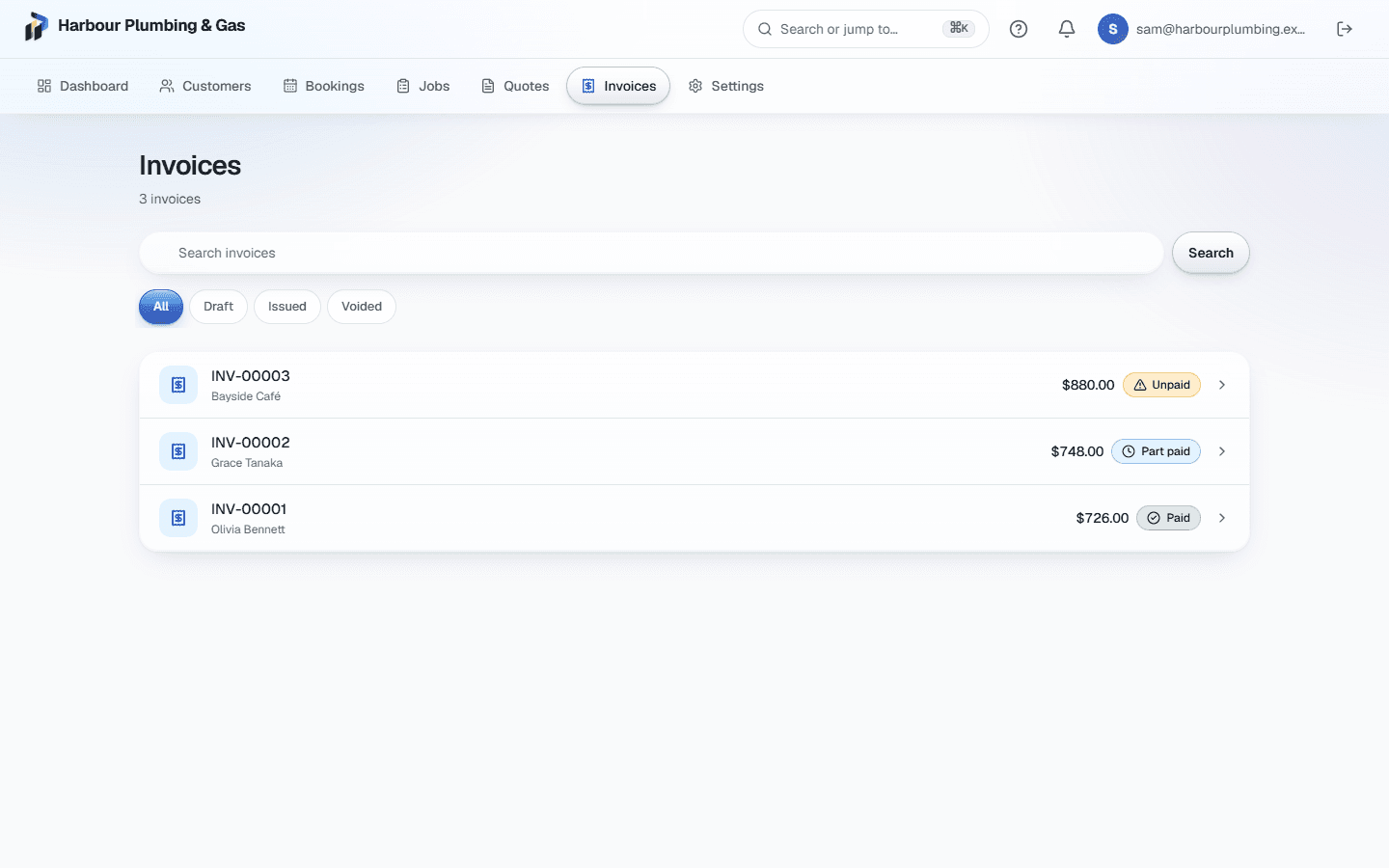
Invoices in Primemgr start from the quote the customer accepted, so the lines and prices are the ones they agreed to, and every payment is recorded against the invoice it pays.
From accepted quote to invoice
On an accepted quote, Create invoice makes a draft with only the accepted lines and the chosen options. Finalising it adds your business details and the customer’s, and gives it the next invoice number.
Tax done per country
Each line keeps its tax code, so the tax is right line by line and in the total. The invoice follows your country’s rules, such as “Tax invoice” and a required ABN in Australia.
Payments and balances
- Record full or part payments, with the method and date.
- Reverse or void a payment recorded by mistake; the history keeps both.
- The invoice shows paid, partly paid or unpaid, and what is still owed.
- Each customer’s record shows how many of their invoices are unpaid.
Credit notes and corrections
Issue a credit note against an invoice, up to what is left to credit, with a reason and an optional refund. A finalised invoice with no payments can go back to draft for a correction and keeps its number; an invoice issued in error can be voided with a reason.
Invoices without a quote, and reminders
An invoice can also be raised from a job that had no quote: add the lines you are billing to the draft. An automation can email the customer the day an invoice goes overdue.
What it does not do yet
Customers cannot pay an invoice by card online yet; record the payment when it arrives. Accounting sync with Xero, QuickBooks or MYOB is not available yet.
Common questions
- Can I record a deposit or part payment?
- Yes. Record any amount against the invoice; its status and the balance owing update straight away.
- Do invoice numbers have gaps?
- No. Numbers come from an unbroken sequence, and an invoice sent back to draft keeps its number when finalised again.
- Can customers pay online?
- Not yet. Record payments by bank transfer, cash or card terminal as they arrive, and the balance updates.
- Does it connect to Xero or QuickBooks?
- Not yet. Your data can be exported at any time, free, including invoices and payments.