Customer portal software: one link, no app to install
Give customers a private link to see bookings, quotes and invoices, accept quotes, request work and message you. Nothing to install. Try it free for 14 days.
Updated
The problem
Customers ring to ask when you are coming, whether you got their approval, and how much they owe. Every one of those calls is a question they could have answered themselves.
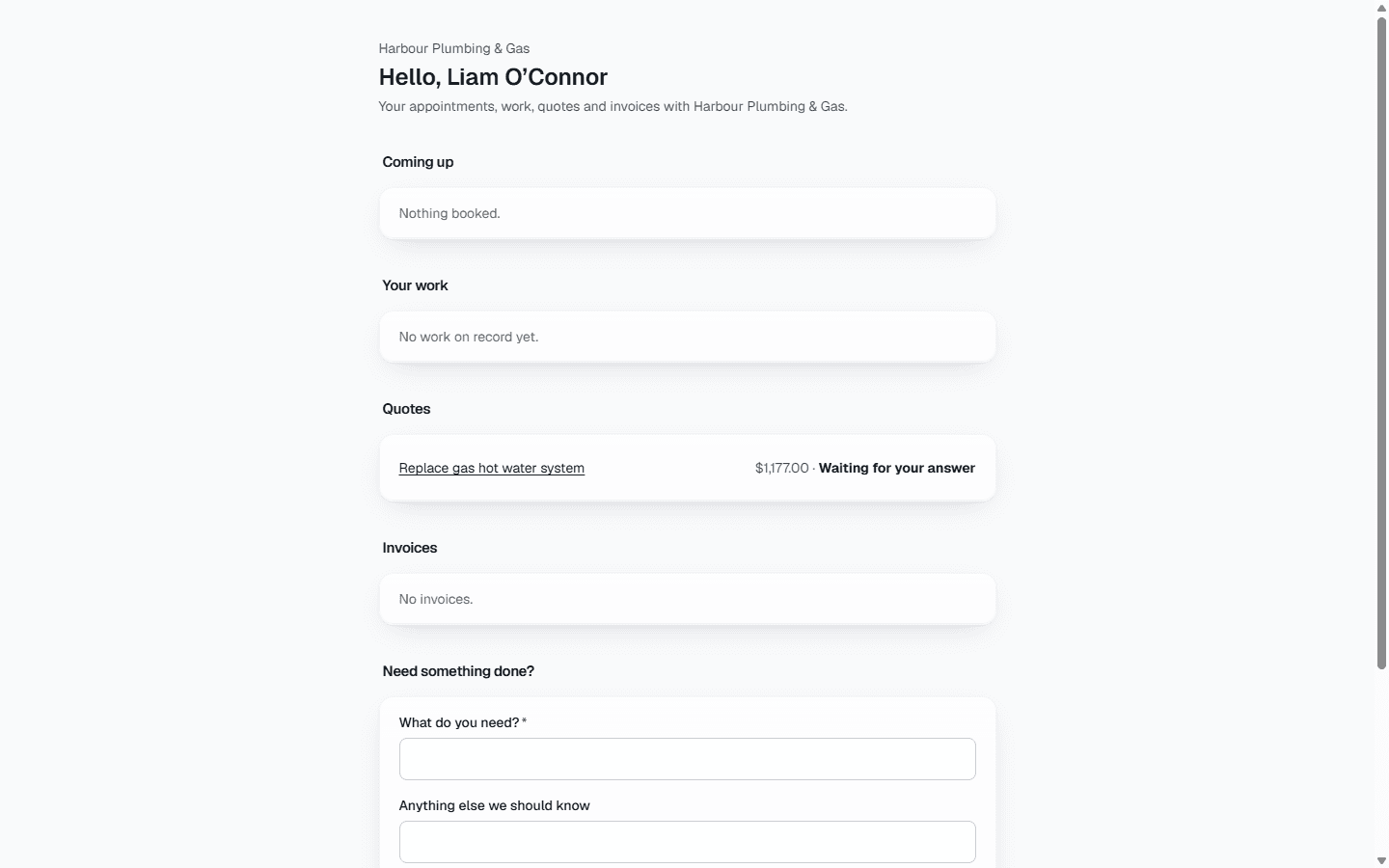
The Primemgr customer portal is a web page for one customer, opened from a private link. There is no app to install and no password to remember.
What the customer sees
- Their upcoming bookings, and the work you have done or are doing for them.
- Their quotes, including those waiting for an answer, which open the same accept-online page as the emailed link.
- Their invoices, and the equipment you look after for them.
- A form to ask for new work, which arrives as a lead and notifies your team.
- Messages: they write to you, with up to three photos or PDFs, and your reply appears in the portal and is emailed to them.
Photos sent through the portal are checked for viruses and have their location details removed before they are kept. Only the portal conversation is shown to the customer, never your own notes of calls or visits.
Private by design
Each link shows one customer’s records and nothing else; a quote belonging to anyone else cannot be opened through it. The link is shown once when you make it, lasts 90 days, shows you when it was last opened, and can be turned off instantly. Portal pages are hidden from search engines.
What it does not do yet
Customers cannot pay invoices online through the portal yet, and there is no customer log-in with a password; access is by link.
Common questions
- Does my customer need to create an account?
- No. They open the link you send them. There is nothing to install.
- What if a link is shared with the wrong person?
- Turn it off from the customer’s record and it stops working immediately. Make a new one when you need it.
- Can customers request work through the portal?
- Yes. The request is recorded against the customer and your team gets a notification.
- Can customers send us photos?
- Yes, with the Messages module on: up to three photos or PDFs with each message, checked for viruses. You see them on the customer’s record.