Work order software: one record from first call to sign-off
Numbered work orders with the customer, site and equipment attached, statuses that fit your trade, visits, checklists, time and photos. Try 14 days free.
Updated
The problem
The details of a job are spread across a text message, a paper docket and a photo on someone’s phone. When the customer calls to ask where things are up to, nobody can answer without ringing around.
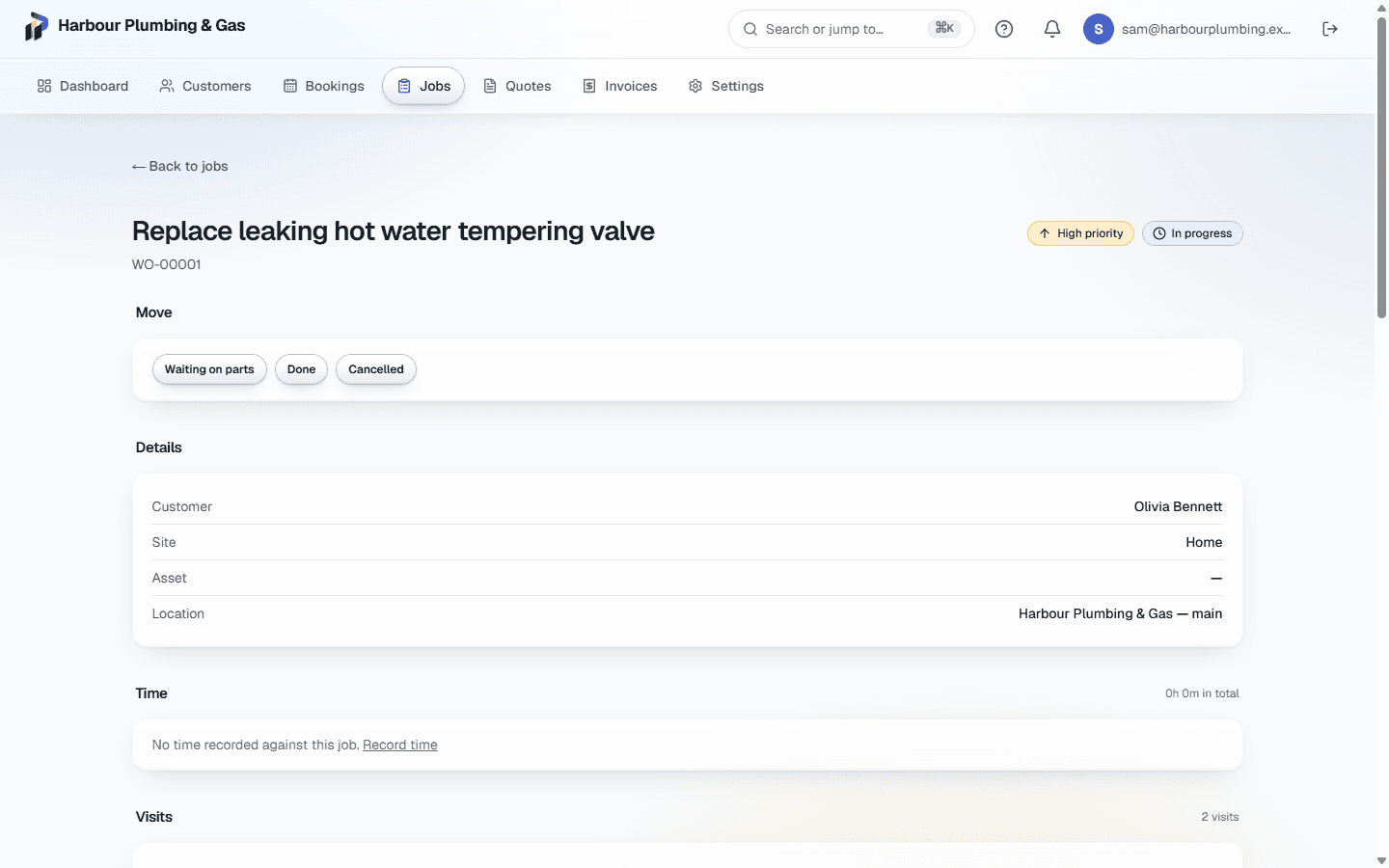
A job in Primemgr is a numbered work order that holds everything about the work: who it is for, where it is, which piece of equipment it concerns, how urgent it is and where it is up to.
Start with the right customer
Type a name, email or phone number and matching customers appear, with a warning when what you typed looks like an existing customer. Picking one fills in their contact details, service address and equipment. A name nobody has seen before is added as a new customer.
Statuses that fit your trade
Each trade setup comes with its own stages, such as Booked, In progress, Waiting on parts and Done. Only the moves that make sense from the current stage are offered, and stages like Cancelled ask for a reason, which stays on the job.
Everything that happens on the job
- Visits: book one or more visits against the job, each on the schedule.
- Tasks: a checklist for the job, ticked off as the work is done.
- Time: hours recorded against the job, with a running timer and weekly timesheets.
- Photos and files: attached to the job and downloadable only by your team.
Templates for the work you repeat
Save a job template with a default priority and a task list, such as an annual service. Choosing it on a new job fills in both, and you can still change them before saving.
From quote to invoice
An accepted quote becomes a job in one click, with a checklist task for each line of work the customer agreed to, and a job with no quote can be invoiced from the job. Custom forms and inspection checklists are filled in on the job, and anything marked as a finding can be quoted in one click.
What it does not do yet
There is no phone app to install: jobs open in the phone’s browser and need a connection to save, so there is no offline mode yet. Route planning between jobs is not built.
Common questions
- Are jobs numbered?
- Yes. Each job gets the next number in an unbroken sequence, such as WO-00001, even when several are created at once.
- Can I make it use my own words?
- Your trade setup comes with its stages. You can rename the terms it uses, add your own fields, and turn modules on or off.
- Can field staff see every job?
- No. Each role sees what it is allowed to. A field worker sees the jobs they have visits on, not the whole business’s work.