CRM for service businesses: every customer’s history in one place
See each customer’s sites, equipment, quotes, jobs, invoices and balance on one record. Import from CSV, catch duplicates, export free. Try it free for 14 days.
Updated
The problem
A regular customer calls and nobody can see what was done at their place last time, what was quoted and never booked, or whether the last invoice was paid.
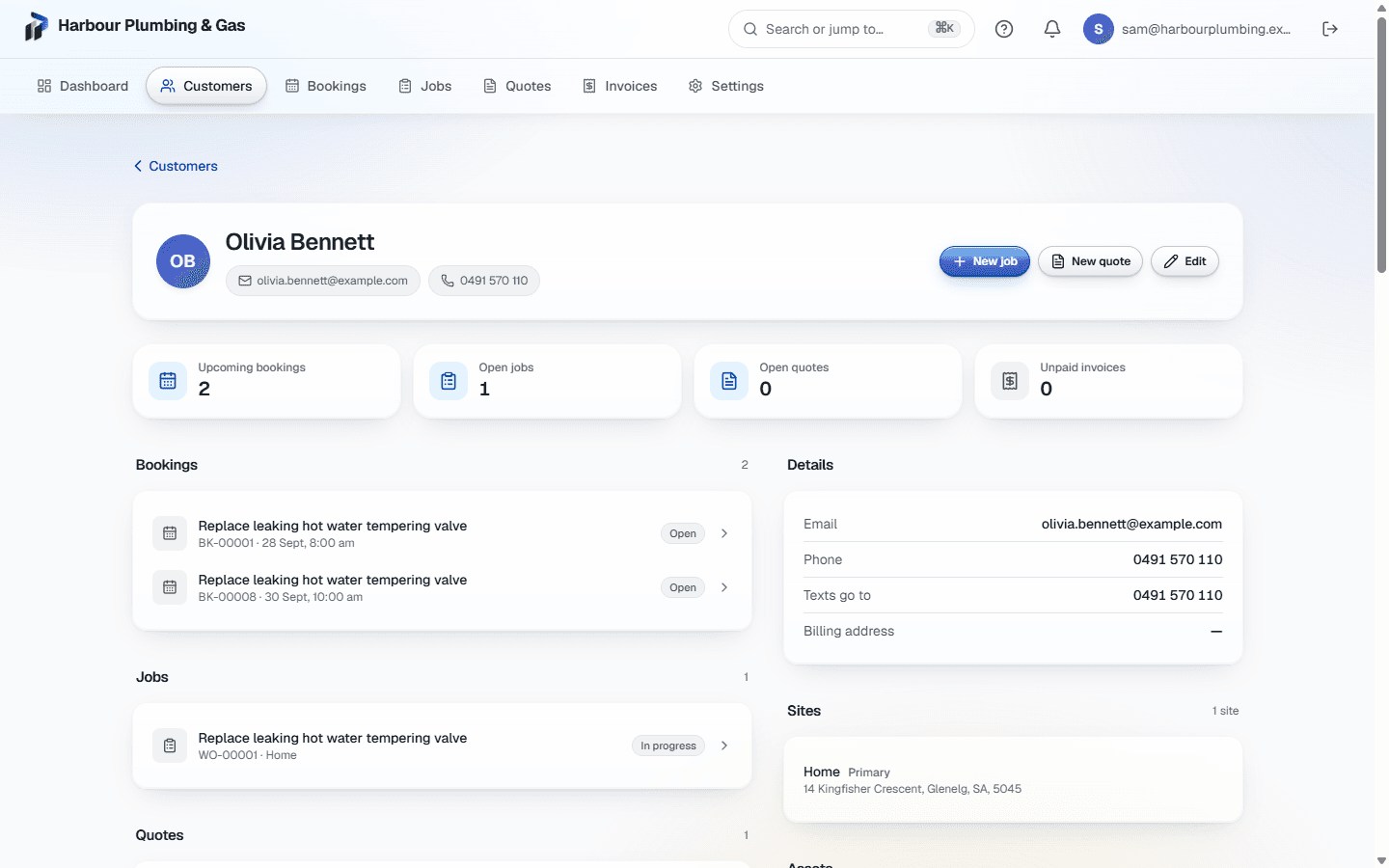
Each customer in Primemgr has one record that ties together everything you have done for them: contact details, the places you work, the equipment you service, their quotes, jobs, bookings and invoices, and what they owe.
Sites and equipment
Add each address you work at as a site, and each piece of equipment you service as an asset with its own history and service dates. When a job is created for the customer, their site and equipment can be picked straight onto it.
No accidental duplicates
When you type an email or phone number that already belongs to a customer, it is flagged as a possible duplicate before anything is created, so one customer does not become three.
Bring your list with you
Import customers from a CSV exported from whatever you use now. You see exactly what will be created before anything is saved, and rows with problems can be downloaded to fix and try again.
Yours to take away
Export your customers and the rest of your data whenever you want, free, including when you leave.
Fit it to your business
Add your own fields, rename terms to the words your trade uses, and control which roles can see and edit customers.
What it does not do yet
There is no email marketing or campaign tool, and no sync with Google or Outlook contacts.
Common questions
- Can I import my existing customers?
- Yes, from a CSV. You map the columns, see what will be created, and nothing is saved until you confirm.
- Can one customer have several addresses?
- Yes. Each address is a site on the customer, and jobs can be booked at any of them.
- Can I export my data if I leave?
- Yes. Export is free at any time, including after you cancel.